![White Bocada Mark - 50x50.png]](https://help.bocada.com/hs-fs/hubfs/White%20Bocada%20Mark%20-%2050x50.png?height=50&name=White%20Bocada%20Mark%20-%2050x50.png)
NetBackup Role Based Access Control (RBAC) Configuration
Bocada leverages NetBackup API which are accessible with an API Key or user credentials tied to a NetBackup Role with View Permissions.
Follow the steps below to configure an RBAC user/role; more information can be in Veritas Support Documentation.
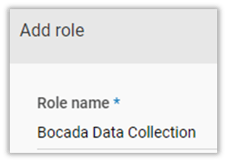
Create a Custom Role for Bocada Data Collection
If you have a role configured with View (or higher) access to the NetBackup REST API you can proceed to generate an API Key.
- Access the NetBackup Web UI at: https://<NetBackupHostName>:1556/webui/login
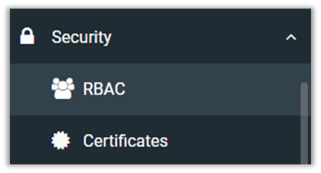
- Navigate to Security > RBAC:
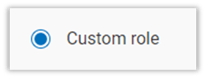
- Add a Custom Role with a descriptive name:

- Assign Global Permissions: All available View for the following categories:
-
- NetBackup management
- Protection
- Security (excluding certificate management)
- Storage
4. Assign any user to the new Bocada Data Collection role
Add Permissions for the Bocada Role
Navigate to Workloads > Microsoft SQL Server > Manage permissions (top right). Then, add permissions to the Bocada Data Collection role for all workloads to View and Discover:
Example: MSSQL


Note: ensure you add permissions for all Workloads you have configured in NetBackup.
API Key Authentication
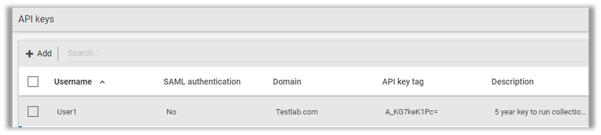
We recommend using an API Key to authenticate and collect data. Once you generate an API key for the user assigned the Bocada Data Collection Role, you can enter it in the Bocada Cloud configuration field for API Key.
Additional Authentication Information
If choosing user credentials to authenticate with user credentials instead of API Key, you will need to enter the Domain Type of the user specified. The possible types are explained below:
-
- NT (Enter name of the user's Windows Active Directory Domain)
- LDAP (Enter name of LDAP domain)
- Unixpwd (Leave blank)
If you have issues connecting to NetBackup after trying these steps, create a Support Ticket in Bocada Cloud, or contact us.