
Bocada Cloud isn't just useful for advanced backup monitoring and reporting - you can also monitor and report on your Storage environment to better understand utilization, trends and costs.
Storage Package - Pricing & Subscription Plans
You can add Storage Monitoring and Reporting to any paid subscription plan by simply connecting your Bocada Cloud account to one or more storage applications and collecting storage data. Learn more about pricing for storage monitoring.
Or, you can subscribe to a Storage-only subscription plan focused on storage management alone.
Supported Storage Applications
Bocada Cloud supports Cloud-based storage applications, including all S3-compatible storage tools, through API connections. Installed / on-premise storage applications are also supported, including Dell Data Domain and NetApp ONTAP. See the full list of storage application connectors in Bocada Cloud.
Storage Reporting
Storage Utilization Report
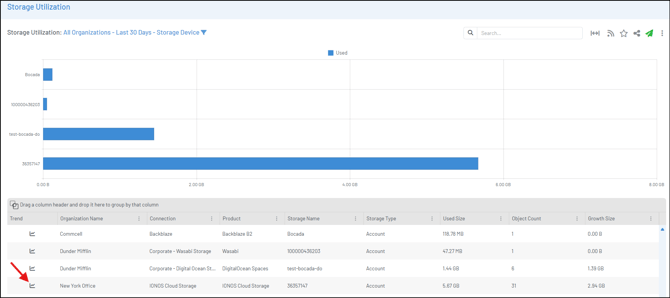
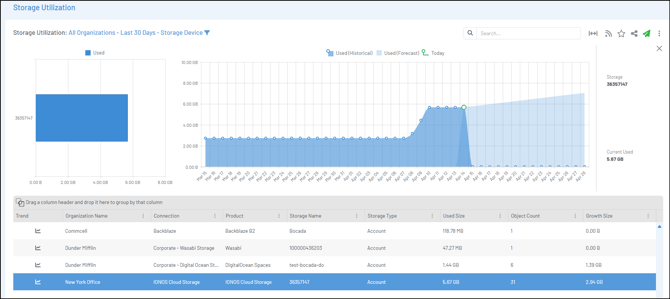
The Storage Utilization report enables you to see all of your connected storage data in one place to better understand and compare how much data is being consumed, including trends over time and a forecast for the future.
The report will first show each storage device (system / appliance) you have connected to:
-
For Cloud-based storage systems, it will display how much storage is currently being utilized
- For On-Premise storage devices, it will display both how much storage is currently being used, as well as how must total storage in the device remains (is free).
Click the trend icon in the far-left data column to view an individual device to see the utilization trend over time, and forecasted trend for the future.
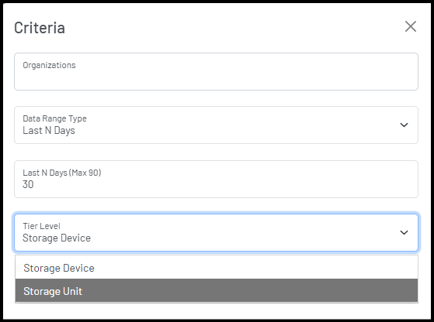
You can edit the report criteria by clicking the three-dot menu in the top right corner of the screen to view the data by one or multiple organizations; in a specific date range; or you can drill-down into the storage unit level.
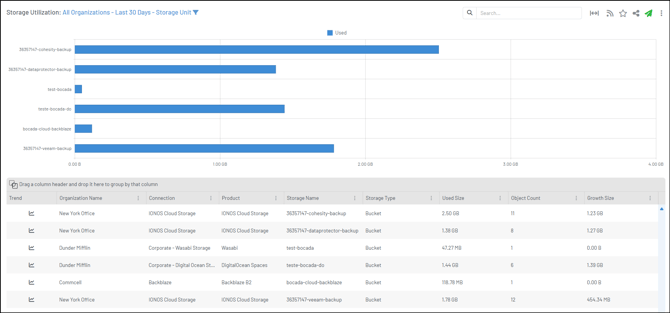
Note: When you add a connection to a storage system, Bocada Cloud will collect a snapshot of the data in the storage account / device and begin reporting on it from that day forward (it does not collect storage data from the past).
Cloud Storage Costs Report
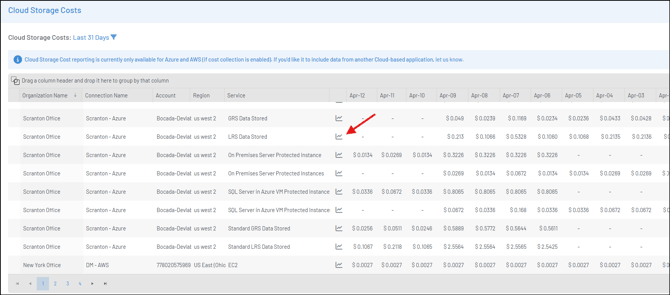
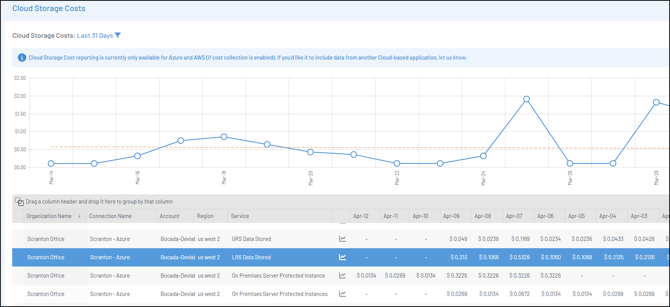
It can be challenging to understand the cost of storing backup data in Cloud storage applications which is where the Cloud Storage Costs report can be beneficial. Currently supporting AWS, Azure, and IONOS, this report shows you how much your backups are costing on a daily or monthly basis.
Click the trend icon to view a cost trend over time for each storage service (as in the screen shot below). To view a specific date range in days or months, click the three-dot menu at the top right of the report grid to Edit the report criteria.
To enable cost information to be collected, follow these steps:
- Azure: to collect cost information from Azure, add a new or edit an existing Azure Backup connection. Cost data will be collected automatically at no additional cost to your Azure account.
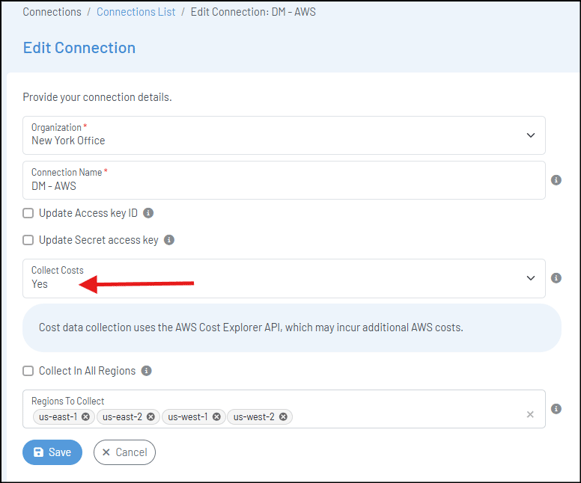
- AWS: to collect cost information, add a new or edit an existing AWS Backup connection. On the connection configuration page, select "Yes" in the Collect Costs field. Then you can either collect data from all regions, or specify one or more regions. Note: collecting AWS cost data may incur additional costs in your AWS account due to the use of the AWS Cost Explorer API.
- IONOS: to collect cost information, add a new or edit an existing IONOS Cloud Storage connection. On the connection configuration page, select "Yes" in the Collect Costs field.
Dashboard - Storage Widgets
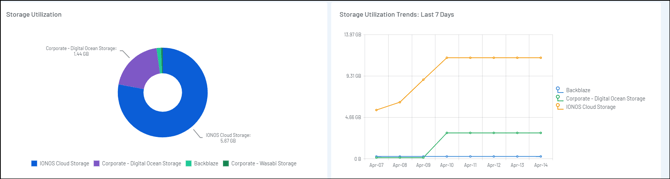
Once you connect to your storage data in Bocada Cloud, you'll see two storage widgets on your Dashboard populate with information, including a Storage Utilization Pie Chart, as well as a Storage Utilization Trends graph, across all connected storage systems.
Have questions or need help with storage monitoring and reporting in Bocada Cloud? Create a Support Ticket or contact us.